
Elden Ring Mod Prototype
Overview
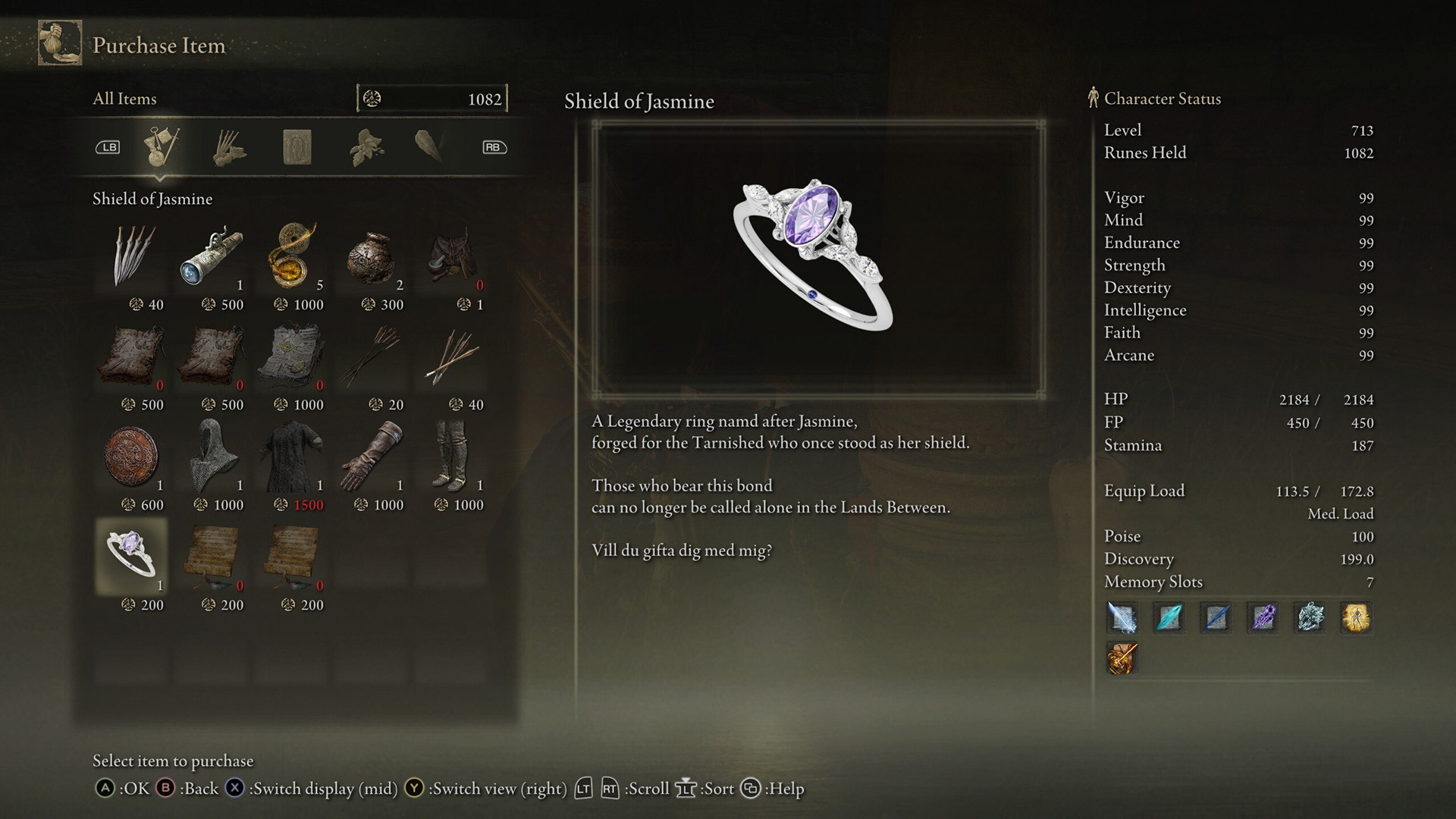
A lightweight Elden Ring mod prototype created for a proposal. I replaced an existing in-game item with a custom “Shield of Jasmine” ring, updating its presentation (name, description, icon) while keeping it consistent with the game’s tone.
Role
Tools
Design · Implementation · Testing/Iteration
• DSMapStudio — initial param editing and inspection (later replaced due to workflow/compatibility limitations)
• Smithbox — primary param editing and final implementation
• Mod Engine 2 — runtime mod loading and in-game testing/iteration
• WitchyBND — unpacking/repacking FromSoftware archive formats as needed
• UXM Selective Unpack — selective archive extraction to access game files when required
• Paint.NET — viewing and editing the custom item icon
Key Changes
Learnings
• Replaced an existing shop/purchase item with a custom proposal ring
• Created a new item identity: name, description, and icon
• Ensured the item fits Elden Ring’s lore tone and UI constraints
• Tested in-game for display correctness and stability
• Core understanding of how game mods work
• Param-driven iteration and UI dependencies
• Packaging and in-game testing workflow for small-scope mods
• Constraints-driven writing: matching lore tone within tight UI text limits
Executable workflow
Timelapse Video
1. Identify the target item ID / icon ID you want to override.
2. Replace icon textures in the correct UI package paths:
• menu/low/.../MENU_Knowledge_[ICON_ID].tpf.dcx
• menu/high/.../MENU_Knowledge_[ICON_ID].tpf.dcx
3. Verify in-game UI rendering by loading into the game and checking the item inside the inventory panel (both thumbnail and detail view).
4. Edit item text data to fill in:
•Name
•Summary
•Description
5. (Optional) Add a talisman-like buff
Assign or create an SpEffect entry
Link that SpEffect to the item/talisman behavior so the bonus applies when equipped
6. Package and test
Condensed recording of the end-to-end implementation: UI asset replacement, text edits, packaging, and in-game verification.